Showing posts with label Recipes for Success. Show all posts

Wednesday, June 10, 2020

Recipes for Success: Showcase Student Work

Food for Thought: Flipgrid is a great tool for hosting asynchronous video discussions. A MixTape will allow you to showcase student videos without requiring a login.


Recipe for Success: Showcase Student Videos


Tuesday, June 9, 2020

Recipe for Success: Connect Globally

Food for Thought
: Flipgrid is a great tool for hosting asynchronous video discussions. Connect with fellow Flipgrid educators and classrooms around the world by activating your #GridPals profile. 


Recipe for Success: Connect Globally


Monday, June 8, 2020

Recipe for Success: Share Video Messages

Food for Thought
: Flipgrid is a great tool for hosting asynchronous video discussions. Flipgrid "Shorts" allow the teacher to create and share a short video message with anyone, anywhere!


Recipe for Success: Share Video Messages


Friday, June 5, 2020

Recipe for Success: Set Up a Video Discussion

Food for Thought
: Flipgrid is a great tool for hosting asynchronous video discussions. Educators post discussion prompts and students respond with short videos, whether they are learning in class or at home.


Recipe for Success: Set Up a Video Discussion


Thursday, June 4, 2020

Recipes for Success: Collaborate in Real Time

Food for Thought
: Google Jamboard pairs nicely with Google Meet (or Zoom) when you want to share a collaborative space and simultaneously hold a conversation with students, either 1:1 or in small groups.


Recipe for Success: Collaborate in Real Time


Wednesday, June 3, 2020

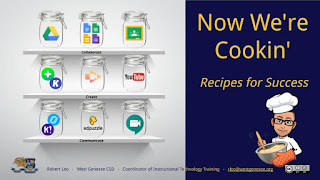
Recipe for Success: Get Your Game On!
Food for Thought
: Pairing Google Meet or Zoom with Kahoot is a fun way to connect with students in real time to assess their learning.


Recipes for Success: Get Your Game On!


Tuesday, June 2, 2020

Recipe for Success: Set Up Appointments for Office Hours

Food for Thought: Pair Google Calendar and Google Meet (or Zoom) to set up virtual office hours for you and your students. Use Appointment Slots to let students select a date & time that works for them based on your availability.


Recipe for Success: Set Up Appointment Slots for Office Hours


Monday, June 1, 2020

Recipe for Success: Differentiate with Choice Boards

Food for Thought: Choice Boards are a form of differentiated instruction that give students a menu or choice of learning activities. Try using Google Docs or Slides to create menus for students to demonstrate learning.


Recipe for Success: Differentiate with Choice Boards


Sunday, May 31, 2020

Recipes for Success: Put Your Lesson on the Map

Food for Thought: Creating personalized Google MyMaps is one way to "plant" content where it took place on a map and then post corresponding text, images, videos, and links.


Recipe for Success: Put Your Lesson on the Map


Thursday, May 28, 2020

Recipe for Success: Make Any Video Your Lesson


Food for Thought: Strategically sharing instructional video gives your students access to an "explanation" when they need it, supporting their learning process. Students can instantly "replay" the day's lesson at their own pace and on their own schedule. 


Recipe for Success: Make Any Video Your Lesson


Wednesday, May 27, 2020

Recipe for Success: Make Them Show You How It's Done

Food for Thought: Pass the screencasting task to students to provide directions, narrate a presentation, or make an "explainer" video...No Chrome extensions required!


Recipe for Success: Make Them Show You How It's Done


Tuesday, May 26, 2020

Recipe for Success: Show Them How It's Done

Food for Thought: Use Screencastify to provide directions, narrate a presentation, make an "explainer" video, or give targeted feedback.


Recipes for Success: Show Them How It's Done


Monday, May 25, 2020

Recipe for Success: Share YouTube Playlists

Food for Thought: When you invite students to explore a topic through videos, it helps to pre-curate the content by creating a YouTube playlist which you can link in a HyperDoc or via Google Classroom, allowing them to quickly access and explore the content.


Recipe for Success: Share YouTube Playlists


Thursday, May 21, 2020

Recipe for Success: Spice Up Your Classroom Topics With Emojis

Food for Thought: Pair Emojipedia with Google Slides and get ready to 😂.


Recipes for Success: Spice Up Your Classroom Topics With Emojis

Wednesday, May 20, 2020

Recipe for Success: Create Your Own Virtual Classroom

Food for Thought: There is no substitute for being at school with our students, but you can replicate your classroom virtually! Start with Google Slides and fold in backgrounds, bitmoji, images, text boxes, and links to create your own virtual learning space.


Recipes for Success: Create Your Own Virtual Classroom


Tuesday, May 19, 2020

Recipe for Success: Spice Up Your Slides with GIFs

Food for Thought: Pair your Google Slides with GIPHY for a taste of fun. However you pronounce it, a GIF is a "Graphics Interchange Format" file...think of it asa looping animated image. GIPHY is a source for sharing GIFs.


Recipes for Success: Spice Up Your Slides with GIFs


Monday, May 18, 2020

Recipe for Success: Kick Your Bitmoji Up A Notch

Food for Thought: Start with Snapchat and add a pinch of magic to bring your bitmoji to life. Your students will beg you to know how you did that!


Recipe of Success: Kick Your Bitmoji Up A Notch


Sunday, May 17, 2020

Recipe for Success: Spice Up Your Slides with Bitmoji

Food for Thought: Pair your Google Slides with Bitmoji to add a dash of personality to your lessons. If you don't have a Bitmoji, you can make one the Bitmoji app for iOS or Android. Use your Snapchat or personal email account to sign up and design your Bitmoji on your mobile device.


Recipe for Success: Spice Up Your Slides with Bitmoji


Wednesday, May 13, 2020

Recipe for Success: Design Master Slides

Food for Thought: Google Slides are great for presenting information, but you can also use Slides to create interactive "drag-and-drop" learning activities for students. 


Recipes for Success: Design Master Slides


Tuesday, May 12, 2020

Recipe for Success: Restore an Earlier Version

Food for Thought: Let's say a student accidentally deleted a table or a text box on their Google Doc or Slides assignment and no longer has a space to answer your prompts. Not to worry...You can see any changes that have been made in Google Docs, Sheets, or Slides. You can also restore a previous version.


Recipe for Success: Restore an Earlier Version